
Transactional Email: Its Role in Email Marketing

Transactional email helps businesses deliver important, automated messages triggered by customer actions or account events. These emails support the customer experience by confirming account creation, verifying email addresses, delivering password reset links, acknowledging purchases, providing shipping updates and communicating billing or security changes. Unlike promotional email marketing campaigns, transactional emails focus on completing an action, sharing essential information or protecting an account. Nigerian businesses that sell online, offer subscriptions or manage customer accounts can use transactional emails to improve communication, reduce confusion and help customers access the information they need at the right time.
Transactional email is an automated email sent to an individual in response to a specific action or event, such as creating an account, placing an order, resetting a password or making a payment. Its primary purpose is to deliver information the recipient needs to complete an action, confirm an activity or manage an account.
For businesses, transactional email is an important part of the broader email marketing and customer communication system. While promotional emails encourage customers to buy, return or engage with a brand, transactional emails provide essential updates that support the customer relationship.
For example, when a customer buys a product from a Nigerian online store, the business can automatically send a purchase receipt, order confirmation and shipping notification. These messages help the customer understand what has happened and what to expect next.
Recommended read: Basics of Email marketing for Nigeran businesses >>
What Is the Role of Transactional Email in Email Marketing?
Transactional email supports the customer journey before, during and after a purchase. It keeps customers informed when they interact with a website, use a service or make changes to their accounts.
Although transactional emails are not primarily designed to promote products, they can influence how customers experience a business. A timely payment confirmation, for instance, reassures a customer that a transaction has been recorded. A clear password reset email helps someone regain access without contacting customer support.
Transactional emails serve several important purposes:
Confirm customer actions: Acknowledge account registrations, purchases and successful payments.
Support account access: Deliver verification links, authentication codes and password reset instructions.
Provide order updates: Communicate order processing, shipping and delivery information.
Manage subscriptions: Notify customers about renewals, billing outcomes and failed payments.
Protect accounts: Alert customers to suspicious login attempts or important account changes.
These messages are particularly useful for e-commerce stores, subscription businesses, online platforms, financial technology services and other businesses that manage customer accounts or transactions.
Types of Transactional Emails Every Business Should Understand
The types of transactional emails a business needs depend on its website, payment process, products and customer account features. The following categories cover common situations where automated communication is useful.
Account Creation and Email Verification
When someone registers on a website or creates an account, a transactional email can confirm the registration and help verify that the person controls the email address provided.
Common account-related messages include:
Account creation confirmations: Acknowledge that an account has been created successfully.
Email verification links: Ask users to click a link to confirm their email address.
Double opt-in confirmations: Ask subscribers to confirm their intention to receive marketing emails, helping establish permission to send them.
Two-factor authentication (2FA) codes: Provide a temporary code to verify a user’s identity during login or another protected action.
For example, a Nigerian online learning platform might send a verification link after a student registers. The student clicks the link to confirm the email address before accessing the platform.
Double opt-in deserves a distinction. It is commonly used to confirm subscriptions to marketing communications, rather than being necessary for every account registration. Keeping these processes separate helps businesses distinguish account administration from marketing consent.
Password Reset Emails
Password reset emails help customers regain access to their accounts when they forget their passwords or cannot sign in.
A typical password reset email contains a link that allows the user to create a new password. The link should be time-limited and usable only once, reducing the risk of someone exploiting an old reset request.
A well-designed password reset email should:
Explain that a password reset was requested.
Provide a clear link to reset the password.
State that the link expires after a defined period.
Tell recipients what to do if they did not request the reset.
Avoid asking users to disclose their existing password.
These emails should be delivered promptly because the recipient is often waiting to regain access. Businesses should also avoid including passwords or other sensitive authentication information directly in email messages.
Order and Shipping Confirmation Emails
E-commerce businesses use transactional emails to communicate what happens after a customer places an order.
For example, after purchasing a phone from an online electronics store, a customer may receive an order confirmation followed by a receipt, dispatch notification and delivery update.
Common messages include:
Order confirmations: Confirm that the business has received the order.
Invoices and purchase receipts: Document the purchase, payment or amount owed, as applicable.
Shipping confirmations: Notify customers when an order has been dispatched.
Tracking notifications: Provide a tracking number or link where available.
Delivery updates: Communicate delivery progress or confirm that an order has been delivered.
These emails should present important information clearly, including the order reference, items purchased, payment status and relevant delivery details.
For Nigerian businesses, this communication can be particularly useful when customers need to coordinate deliveries across different locations. Clear updates also help reduce uncertainty about whether an order was received or dispatched.
Billing and Subscription Emails
Businesses that sell subscriptions, memberships, digital services or recurring plans need transactional emails to keep customers informed about payments and billing changes.
Examples include:
Upcoming renewal reminders: Inform customers that a subscription will renew soon.
Successful payment receipts: Confirm that a payment has been processed.
Invoices and billing statements: Show the amount charged or due and the relevant billing details.
Failed payment notifications: Tell customers when a payment attempt has failed.
Dunning emails: Notify customers about overdue or unsuccessful payments and explain how to resolve the issue.
For example, a Nigerian business that provides monthly website maintenance may send a renewal reminder before the next billing date. If the customer’s card payment fails, another email can explain the problem and provide a secure payment update link.
Failed payment notifications should be direct and helpful. State what happened, explain whether the subscription or service may be affected, and provide the next step without using threatening or misleading language.
Security and Account Alert Emails
Security alerts notify customers when important account activity occurs. They help users recognise changes they may not have authorised and respond when necessary.
Common examples include:
Notifications about login attempts from new devices or locations.
Alerts following a password change.
Warnings about suspicious account activity.
Notifications when account permissions or access settings change.
Alerts when important security settings are updated.
For instance, if a customer signs in to an account from a new device, the business may send an alert identifying the activity and explaining how to secure the account if the login was not authorised.
Security emails should avoid exposing unnecessary personal information. They should also direct users to legitimate account settings or support channels rather than asking them to send passwords or authentication codes by email.
Transactional Email vs Promotional Email Marketing
Transactional and promotional emails both use email to communicate with customers, but they serve different purposes.
| Feature | Transactional email | Promotional email |
|---|---|---|
| Primary purpose | Confirm actions or deliver essential information | Promote products, services or offers |
| Typical trigger | A customer action or account event | A campaign schedule, audience segment or marketing rule |
| Common examples | Receipts, verification links and password resets | Discounts, newsletters and product announcements |
| Recipient relevance | Usually tied to an individual transaction or account | Based on marketing interests, consent and campaign targeting |
| Main success measure | Successful delivery and completion of the intended action | Opens, clicks, conversions and revenue, interpreted in context |
The distinction matters because a transactional message should not become a disguised advertising campaign.
For example, an order confirmation should prioritise order details and delivery information. Adding an unrelated promotional offer may distract from the message’s main purpose and could affect how the email is classified under applicable email rules.
Some messages contain both transactional and promotional content. Their classification may depend on the message’s primary purpose and the applicable legal requirements. Businesses should not assume that adding a transaction reference automatically makes an advertising email transactional.
How to Make Transactional Emails Effective
Transactional emails need to be accurate, timely, easy to understand and secure. The following practices help businesses deliver messages that serve their intended purpose.
Send Emails Automatically at the Right Time
Connect transactional emails to the events that trigger them. Account registration should generate the appropriate verification message, while a confirmed purchase should trigger the relevant order communication.
Payment and order systems should also distinguish between a payment initiated, a payment pending and a payment confirmed. Do not send a successful payment receipt before the system has reliably confirmed the transaction.
Use Clear Subject Lines and Relevant Information
Recipients should understand the purpose of an email before opening it. Use descriptive subject lines such as “Your Order Has Been Confirmed” or “Reset Your Password.”
Keep the message focused on the event. Include relevant reference numbers, dates, payment details or instructions, depending on the email type. Avoid unnecessary content that makes essential information difficult to find.
Prioritise Email Security
Authentication links, password reset links and verification codes should be protected against misuse. Use HTTPS for linked pages, limit the validity of sensitive links or codes, and avoid exposing credentials in email content.
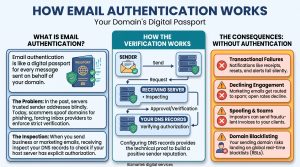
Configure appropriate email authentication, including SPF, DKIM and DMARC, to help receiving mail servers verify that messages are authorised to come from your domain. These measures support trust and deliverability but do not guarantee inbox placement.
Monitor Delivery and Errors
An automated email is only useful if it reaches the intended recipient and the underlying process works correctly.
Monitor delivery failures, bounced addresses, delayed messages and email provider errors. Where appropriate, use delivery logs and alerts to identify problems with verification, payment notifications or password resets.
For critical messages, make sure customers have another way to resolve the issue, such as a secure account page or customer support channel.
Frequently Asked Questions About Transactional Email
Is transactional email part of email marketing?
Yes. Transactional email can form part of a business’s broader email marketing and customer communication infrastructure. However, its primary purpose is to provide information related to a transaction, account or user action, rather than promote an offer.
Do small businesses in Nigeria need transactional emails?
Transactional emails are useful for Nigerian businesses that accept online orders, manage customer accounts, process payments or offer recurring subscriptions. The exact requirements depend on how the business operates. A simple business website may need only form confirmations, while an e-commerce store may require order, payment and shipping notifications.
Can transactional emails include promotional offers?
They can sometimes contain additional promotional content, but the primary purpose should remain clear. Mixing marketing messages with essential account or transaction information can confuse recipients and create compliance issues. Keep promotional campaigns separate where practical, and follow applicable consent and email marketing requirements.
What is the difference between a transactional email and an automated email?
A transactional email is a type of automated email triggered by a specific transaction, account event or customer action. Automated emails also include marketing workflows, such as welcome campaigns, abandoned-cart reminders and scheduled newsletters. Therefore, not every automated email is transactional.
What information should a transactional email contain?
Include the information necessary for the recipient to understand or complete the relevant action. Depending on the email, this may include an order number, payment status, receipt, verification link, password reset instructions, renewal date or security alert. Keep sensitive information protected and make the next step clear.
Conclusion
Transactional email plays an essential role in customer communication by confirming actions, supporting account access, documenting purchases, managing billing and alerting users to security events. It complements promotional email marketing by helping businesses deliver the information customers need at important moments in their relationship with a brand.
For Nigerian businesses, the priority is to make these emails timely, accurate, secure and useful. When transactional messages are properly configured, customers can complete important actions with less confusion, while businesses can maintain clearer communication throughout the customer journey.
Ready to Manage your transactional emails?
Stop guessing. Get proven transactional email marketing strategies that bring in real customers.
Get Started With Us ↗Free to start • No credit card required

Explore EMAIL MARKETING Mastery

Marketing & Lead Nurturing Emails: How to Convert Leads into Loyal Customers
How to Set Up Brevo for Transactional Emails on WordPress Sites

Best Transactional Email Platform for WordPress Sites
How to Set Up SPF, DKIM and DMARC for WordPress Sites Using cPanel
View More EMAIL MARKETING Articles (9 more)

Email Authentication: Complete DNS Setup Guide for Better Delivery
How Emails Are Sent: A Simple Guide to Email Delivery

How to Start Email Marketing in Nigeria

How to Recover Abandoned Carts in Nigeria 2026
10 Best Email Marketing Software in Nigeria Today

Email Marketing Services for E-commerce Brands in Nigeria
Email Marketing Automation for Real Estate Firms in Nigeria
Types of Emails for Your Email marketing
