Bizmartek Chat Assistant Typically replies within minutes

šŸ‘‹ Welcome to Bizmartek! How can we help you today?

Facebook Ads vs. Google Ads: Key Differences and Which One You Should Use

Introduction

So, you want to run ads for your business but can’t decide between Facebook Ads and Google Ads? You’re not alone. While both are considered PPC (pay-per-click) advertising platforms and are highly effective, they operate differently. One focuses on what people are searching for, while the other focuses on who your audience is.

Today, we’re breaking down the key differences between Google Ads and Facebook Ads so you can make the best choice for your advertising goals. (Spoiler: You might want to use both!)

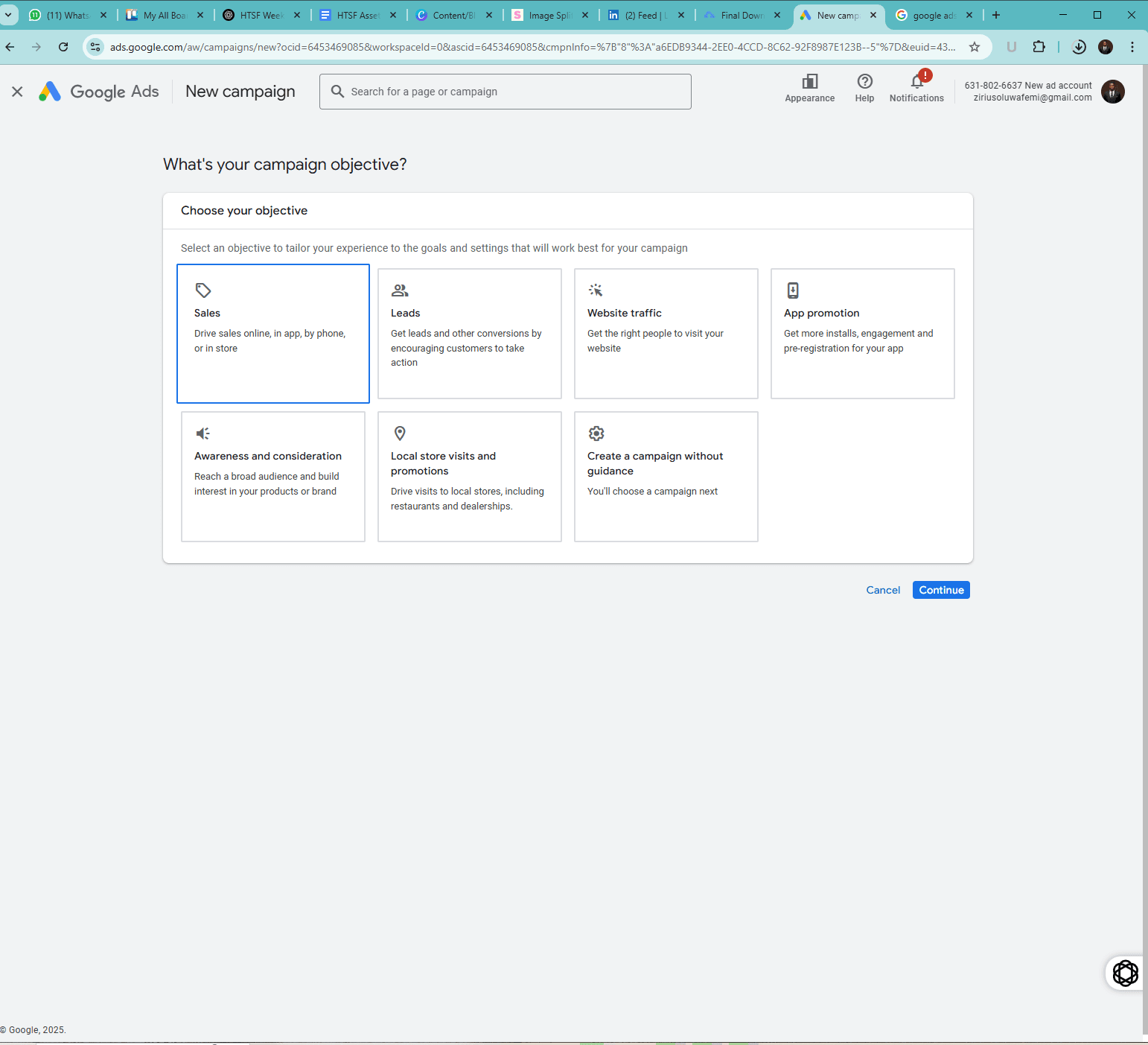
google ads campaign setup

1. Ownership: Google vs. Meta

Let’s start with the basics.

Google owns Google Ads (previously Google AdWords), while Meta owns Facebook Ads (which is technically part of Meta Ads Manager, covering Facebook, Instagram, Messenger, and Audience Network).

This means that when you run Google Ads, they show up on Google’s platforms like Search, YouTube, and partner sites. Facebook Ads, on the other hand, appear across Meta’s platforms, including Facebook, Instagram, Messenger, and partner apps.

So, right off the bat, we’re dealing with two different ecosystems. If your audience spends most of their time searching for things on Google, Google Ads might be your best bet. But if they’re scrolling through Instagram reels or Facebook feeds, Facebook Ads will put you right in front of them.


2. Where You Set Them Up: Google Ads Manager vs. Meta Ads Manager

Both platforms have dedicated ad management tools:

  • Google Ads Manager – Where you create and manage Google Ads campaigns.
  • Meta Ads Manager – Where you set up and manage Facebook and Instagram ads.

While both tools offer detailed reporting, budget controls, and targeting options, they operate differently. Google Ads Manager is all about search intent and bidding on keywords, while Meta Ads Manager focuses more on user demographics, behaviors, and interests.

If you’re familiar with one but new to the other, expect a bit of a learning curve. But once you get the hang of it, both platforms provide powerful tools to scale your ads effectively.


3. Targeting: Keywords vs. Audience-Based

This is probably the biggest difference between the two.

  • Google Ads = Keyword Targeting
  • Facebook Ads = Audience Targeting

Google Ads Targeting

Google Ads work based on search intent. When someone types a keyword into Google, your ad can appear if it matches the search terms. For example, if you’re selling custom paintings and someone searches for ā€œbuy custom painting online,ā€ your ad could show up at the top of the search results.

Google Ads is all about capturing high-intent customers—people actively searching for what you offer. This is why Google Search Ads tend to have high conversion rates, especially for transactional searches.

Facebook Ads Targeting

Facebook Ads, on the other hand, don’t rely on what people are searching for. Instead, they focus on who your audience is—their interests, behaviors, demographics, and even past interactions with your business.

For example, if you sell custom paintings, you can target people who:

  • Follow art-related pages
  • Have engaged with similar brands
  • Are in a specific income bracket
  • Recently interacted with your Instagram page

Facebook Ads are great for brand awareness and discovery. Even if people aren’t actively searching for your product, you can still put it in front of the right audience and get them interested.


4. Ad Placements: Google vs. Meta Platforms

Where do your ads actually show up?

Google Ads Placements

Google Ads can appear on:

  • Google Search (the top results when someone searches)
  • Google Display Network (websites that show Google ads)
  • YouTube (video ads before or during content)
  • Google Shopping (product-based ads in search results)
  • Gmail (ads inside users’ email inboxes)

Facebook Ads Placements

Facebook Ads appear on:

  • Facebook Feed
  • Instagram Feed
  • Facebook & Instagram Stories
  • Messenger
  • Facebook Marketplace
  • Meta Audience Network (partner websites & apps)

So, if your audience is more likely to discover products while browsing social media, Facebook Ads have the edge. But if they’re searching for solutions on Google, then Google Ads make more sense.

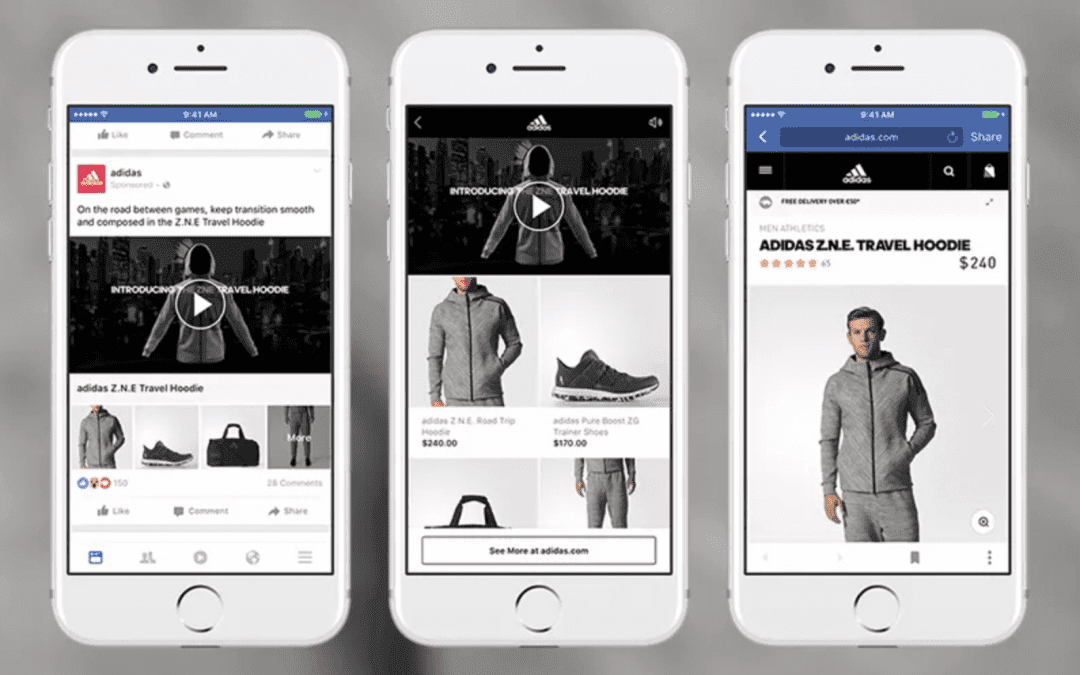
facebook ad displayed on phone screen

5. Ad Formats: Text vs. Visual

Both platforms support multiple ad formats, but they emphasize different styles.

Google Ads Formats

  • Search Ads (text-based)
  • Display Ads (image-based)
  • Shopping Ads (product listings)
  • YouTube Ads (video-based)
  • App Promotion Ads

Google Ads are typically more text-heavy, especially Search Ads. Display Ads and YouTube Ads add a visual element, but Google’s core advertising strength lies in keyword-driven search results.

Facebook Ads Formats

  • Image Ads
  • Video Ads
  • Carousel Ads (multiple images/videos in one ad)
  • Collection Ads (mini storefront experience)
  • Stories Ads
  • Reels Ads

Facebook Ads are more visual—they rely on engaging images and videos to grab attention. If your product is highly visual (e.g., fashion, art, food, fitness), Facebook Ads will likely perform better than Google Search Ads.


6. Cost and ROI: Which One is More Affordable?

This is where it gets tricky because ad costs depend on your industry, competition, and strategy.

Google Ads Pricing

  • Cost-Per-Click (CPC): Varies by keyword; highly competitive industries (like finance or law) can have CPCs over $50.
  • ROI Potential: High for intent-based searches, especially with the right keywords.

Facebook Ads Pricing

  • Cost-Per-Click (CPC): Usually lower than Google Ads, but varies based on audience targeting.
  • ROI Potential: Great for brand awareness, but requires strong visuals and engaging content.

In general, Facebook Ads are cheaper per click, but Google Ads often convert better because they capture high-intent searches.


7. Buyer Journey: Demand Capture vs. Demand Generation

Another major difference:

  • Google Ads = Demand Capture
  • Facebook Ads = Demand Generation

Google Ads work best for people who already know what they want and are actively searching for it. Facebook Ads, on the other hand, introduce people to products they weren’t necessarily looking for but might find interesting.

For example:

  • If someone searches for ā€œbest running shoes for beginners,ā€ they already intend to buy, making Google Ads effective.
  • If someone scrolls through Instagram and sees a well-targeted ad for running shoes, they might not have been looking for them—but the ad sparks interest.

Both strategies are valuable, but they serve different purposes in the buyer journey.

facebook ads manager vector design

Conclusion: Should You Use Google Ads or Facebook Ads?

The answer? Use both—if your budget allows.

A well-rounded marketing strategy doesn’t rely on just one platform. Google Ads help you reach ready-to-buy customers, while Facebook Ads help you attract and nurture new customers.

So, instead of choosing one over the other, consider how they can work together. The best approach is to test both, track results, and optimize based on what delivers the best ROI.

Let me run your ads for you, click here to book a free consultation session me

Explore SOCIAL MEDIA MARKETING Mastery

View More SOCIAL MEDIA MARKETING Articles (17 more)