
TikTok Event and Pixel Setup: The Complete Guide to Accurate Ad Tracking

Key takeaways
Here is a quick summary of what this page covers:
- ✓ Main concept: TikTok Pixel, web events, base code vs. event code, manual installation, partner integrations, Google Tag Manager (GTM), and automated conversion tracking.
- ✓ Who it is for: Business owners, real estate marketers, e-commerce brands, and media buyers looking to track conversions, lower ad spend, and scale TikTok ads accurately.
- ✓ Action steps: Locate Events Manager, build your tracking pixel, install the base script, configure conversion trigger rules, verify firing status, and optimize targeting data.
What Is a TikTok Pixel and How Does It Work?
A TikTok Pixel is an invisible snippet of computer code that acts like a digital security camera on your website. When visitors land on your pages, the code silently observes what they do and reports those actions directly back to TikTok Ads Manager. Without it, you are running advertising campaigns blindly without knowing if people actually buy, register, or leave immediately.
Think of it like a smart cashier in a physical store in Ikeja or Lagos who takes notes on every shopper. If ten people walk in to inspect a property or browse products, the cashier notes who merely looked at a brochure and who actually made a payment. The pixel performs this exact task automatically for your website visitors twenty-four hours a day.
When someone clicks your TikTok video ad, TikTok tags that person with a unique digital identifier. As they navigate your landing page, the pixel detects key actions—such as clicking a WhatsApp button, filling out a form, or completing a purchase—and matches that activity to the ad they clicked. This direct feedback loop tells the ad delivery system exactly which types of users deliver real business value.
By feeding this behavioral data back to the platform, the machine learning algorithm learns which audience segments produce results. It stops showing your ads to casual scrollers and directs your daily ad budget toward real buyers who are ready to take action.
Where to Find the TikTok Pixel in Ads Manager Interface
Finding your tracking tools inside TikTok Ads Manager requires navigating to the dedicated event management dashboard. Log into your TikTok Ads Manager account, look at the top navigation bar, click on Tools, and select Events from the dropdown menu. This section is the central command center for every web and app interaction you track.
Once inside the Events dashboard, you will see two clear options: Web Events and App Events. Click the Manage button directly beneath Web Events to access your website pixels. If you have never run a campaign before, the interface will display an empty screen with a prominent button to create your first pixel.
To locate existing pixels, review the summary table displayed on this Web Events screen. Each pixel entry shows its unique Pixel ID—a string of letters and numbers—alongside its current status, recent activity graphs, and event counts. You can copy this Pixel ID with a single click whenever you need to connect your store or landing page builder.
If you ever need to inspect or adjust tracking rules, simply click on the specific pixel name in this list. This opens the detailed reporting area where you can view raw event history, check diagnostic alerts, and update your conversion configurations without disrupting live ad sets.
Anatomy of TikTok Pixel Code: Base Code vs Event Code
The TikTok tracking system relies on two distinct code layers working together to capture data accurately. The primary layer is the Base Code, which sits on every page of your site to establish a continuous connection with TikTok servers. The secondary layer is the Event Code, which triggers only when a specific high-value action occurs on a particular page.
<!-- TikTok Pixel Base Code -->
<script>
!function (w, d, t) {
  w.TiktokAnalyticsObject=t;var ttq=w[t]=w[t]||[];ttq.methods=["page","track","identify","instances","debug","on","off","once","ready","alias","group","enableCookie","disableCookie"],ttq.setAndDefer=function(t,e){t[e]=function(){t.push([e].concat(Array.prototype.slice.call(arguments,0)))}};for(var i=0;i<ttq.methods.length;i++)ttq.setAndDefer(ttq,ttq.methods[i]);ttq.instance=function(t){for(var e=ttq._i[t]||[],n=0;n<ttq.methods.length;n++)ttq.setAndDefer(e,ttq.methods[n]);return e},ttq.load=function(e,n){var i="https://analytics.tiktok.com/i18n/pixel/events.js";ttq._i=ttq._i||{},ttq._i[e]=[],ttq._i[e]._u=i,ttq._t=ttq._t||{},ttq._t[e]=+new Date,ttq._o=ttq._o||{},ttq._o[e]=n||{};var o=document.createElement("script");o.type="text/javascript",o.async=!0,o.src=i+"?type=desktop&sdkid="+e+"&lib="+t;var a=document.getElementsByTagName("script")[0];a.parentNode.insertBefore(o,a)};

  ttq.load('YOUR_PIXEL_ID_HERE');
  ttq.page();
}(window, document, 'ttq');
</script>
<!-- End TikTok Pixel Base Code -->
The base script initializes the global tracking queue (ttq) and automatically fires a basic page() view call each time an asset loads. It loads asynchronously, meaning it never slows down your website loading speeds or interferes with visitors browsing your offers. Every single tracking implementation requires this base code before any other events can function.
Event code sits on top of this foundation to record specific milestones like submitting an inquiry, adding items to a cart, or finishing a transaction. For instance, when a lead submits their details for a real estate inspection on Propertygool, a targeted snippet fires immediately:
<!-- TikTok Event Code -->
<script>
  ttq.track('SubmitForm', {
    content_name: 'Duplex Inquiry Form',
    value: 0.00,
    currency: 'NGN'
  });
</script>
Separating these layers keeps your tracking organized and lightweight. The base code identifies the visitor, while the event code explains the exact financial or behavioral action they completed during their visit.
Step-by-Step Methods to Set Up Your TikTok Pixel and Events
Method 1: The Manual Installation Method
Manual installation gives you complete, raw control over your tracking scripts directly inside your website template. Start by navigating to Events Manager, clicking Create Pixel, choosing Manual Setup, and copying the generated base JavaScript code block. Open your website source code or theme editor and paste this code snippet into the header section, directly between the <head> and </head> tags.
Once the base code is saved to your global header, define your conversion triggers using either standard code snippets or TikTok’s visual Event Builder tool. If you choose the Event Builder, enter your website URL, click through your interactive elements, and assign events like “Click Button” or “Download” to specific buttons. This method requires zero plugin overhead, making it fast and reliable for custom-coded websites.
Method 2: Partner Integration (Shopify, WordPress, and WooCommerce)
Partner integration provides a zero-code connection built directly into leading content management platforms. Inside TikTok Events Manager, select Partner Integration during pixel creation, then choose your platform—such as WordPress, Shopify, or WooCommerce. TikTok generates a direct link to install the official TikTok for Business plugin on your store.
After installing the extension in your WordPress dashboard or Shopify app store, authenticate your account by logging into TikTok. The plugin automatically places the base script across every page and configures standard e-commerce events—such as ViewContent, AddToCart, and CompletePayment—out of the box. It completely eliminates manual script errors and requires no technical coding expertise.
Method 3: Google Tag Manager (GTM) Setup
Google Tag Manager offers a flexible, scalable framework to manage tracking tags without touching site code repeatedly. Open your GTM container, create a New Tag, select the official TikTok Pixel tag template from the Community Template Gallery, and paste your TikTok Pixel ID into the designated field. Set the trigger to All Pages to deploy the base script globally.
To track conversions like form submissions or booking confirmations, create secondary tags inside GTM using the same template. Select the specific event name, attach your parameters (like order value or currency), and assign custom triggers based on click IDs or destination URLs. This system keeps all your marketing scripts organized in one cloud-based dashboard.
Partner Setup vs Manual Setup vs GTM: Which Method Should You Choose?
Selecting the right setup pathway depends entirely on your technical infrastructure, site architecture, and long-term marketing needs. Each method serves a distinct operational purpose, ranging from instant automated setups to granular enterprise tracking.
| Feature / Metric | Partner Integration | Manual Code Insertion | Google Tag Manager (GTM) |
| Technical Skill Required | Beginner (No coding) | Intermediate (Basic HTML) | Intermediate to Advanced |
| Setup Speed | 5 to 10 minutes | 15 to 30 minutes | 20 to 45 minutes |
| Flexibility & Control | Low (Rigid templates) | High (Direct code control) | Maximum (Custom triggers) |
| Risk of Human Error | Very Low | Moderate (Script syntax bugs) | Low (Pre-built templates) |
| Performance Impact | Slight plugin overhead | Minimal / Zero overhead | Minimal (Asynchronous loading) |
| Best For | Shopify & WooCommerce stores | Single landing pages | Complex multi-funnel sites |
Ready to Hire a TikTok Marketing Agency That Delivers?
Don’t waste another month guessing what works on TikTok. Let Bizmartek build a profitable, scalable ad system for your brand.
Free to start • No credit card required
If you run a standard e-commerce shop, choose Partner Integration to have standard checkout events mapped automatically. If you manage complex lead funnels, custom landing pages, or multi-channel campaigns, Google Tag Manager is the undisputed gold standard.
Core Benefits of Installing a TikTok Pixel for Your Business
Deploying a properly configured TikTok Pixel changes your marketing from guessing into a measurable, profit-focused sales engine. The single biggest advantage is conversion optimization; TikTok stops chasing cheap video views and focuses on finding people who actually complete purchases or request property inspections.
The pixel also unlocks powerful retargeting audiences based on actual user engagement. You can build custom audiences of people who visited your site within the last 30 days but failed to check out, showing them tailored video testimonials to close the sale. Additionally, you can create lookalike audiences to find brand-new prospects across Nigeria whose digital behaviors mirror your best past customers.
Furthermore, accurate event data protects your daily ad spend against waste. Without verified tracking data, you cannot determine your true Cost Per Acquisition (CPA) or Return on Ad Spend (ROAS). The pixel records clear conversion metrics, allowing you to confidently scale high-performing ad sets and cut losers immediately.
Scaling Performance with Experienced TikTok Ad Agencies
Managing conversion pixels, event deduplication, and custom conversions requires ongoing technical maintenance alongside creative video production. For businesses seeking high-impact results without the operational headache, partnering with a proven hire TikTok marketing agency ensures your tracking framework, creative assets, and bidding strategies are built to scale predictably.
Bizmartek TikTok ad services specializes in building complete growth engines for ambitious brands. From clean tracking setups to high-converting creative testing, professional agencies eliminate data gaps so every Naira spent delivers measurable returns. Leaving your campaign structure and technical implementation to dedicated performance marketers allows you to focus purely on product delivery and sales fulfillment.
Summary and Next Steps
Setting up your TikTok pixel and web events correctly is the foundational step toward predictable advertising success. Whether you connect via partner plugins, insert manual scripts, or route triggers through Google Tag Manager, verified event tracking ensures your ad spend targets active buyers instead of casual viewers.
Take immediate action by auditing your current website tracking today. Install your base pixel, configure your core conversion triggers, verify your event firing with the Pixel Helper, and use these rich data streams to drive sustainable, high-ROI campaigns.
Frequently Asked Questions
A newly installed TikTok pixel becomes active instantly as soon as the first visitor triggers a page view or event. You can verify this activity within seconds using the free TikTok Pixel Helper Chrome extension.
You can run traffic or brand awareness campaigns without a pixel, but you cannot optimize for leads, sales, or signups. Without the pixel, TikTok cannot determine who converted, leading to wasted ad spend.
The TikTok Pixel Helper is an official Google Chrome browser extension that audits your tracking setup in real time. Simply open your live website, click the extension icon, and confirm whether your Pixel ID and base events are firing properly.
No, you should use a single TikTok Pixel across your entire website domain and all connected landing pages. Using one pixel consolidates your audience data, helping TikTok's machine learning algorithm train faster and optimize smarter.
Ready to Hire a TikTok Marketing Agency That Delivers?
Don’t waste another month guessing what works on TikTok. Let Bizmartek build a profitable, scalable ad system for your brand.
Free to start • No credit card required
 Cost of Tiktok Ads in Nigeria
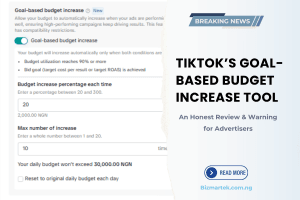 TikTok’s Goal-Based Budget Increase Tool: An Honest Review & Warning for Advertisers
 How to Run TikTok Ads in Nigeria 2026